Deadzone Rogue 2 Guide: How to Play the Demo and Master the Deadzone
Get started with the Deadzone Rogue 2 demo on Steam, PS5, and Xbox. Learn how to squad up, utilize co-op features, and optimize your rogue-lite runs.
Published: Deadzone Rogue 2 Wiki Editorial Team
Table of Contents
Getting Started with the Deadzone Rogue 2 Demo
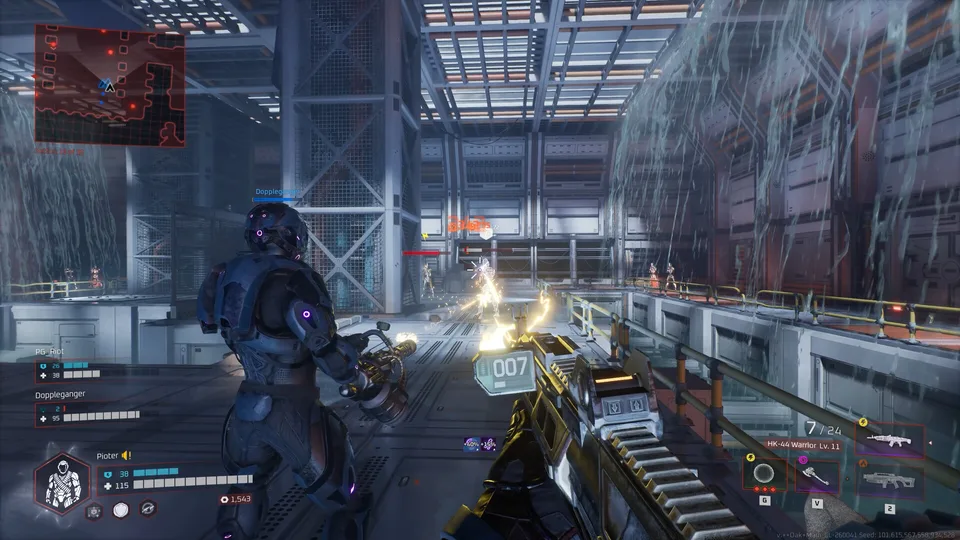
Prophecy Games has officially released the Deadzone Rogue 2 demo, offering players a chance to dive into this FPS rogue-lite adventure. Set on a fallen Earth, the game challenges you to fight against Monarch’s relentless machine armies. Whether you are a fan of the first title or a newcomer to the franchise, the demo provides a polished slice of the core gameplay loop, including combat, loadout building, and cooperative play.
To begin your journey, simply navigate to the official Steam store page and click the "Play" button. The demo is free to access and does not require a purchase of the full game to participate. Note that while the demo provides a substantial look at the mechanics, it is distinct from the full game, and developers have confirmed that progress made during this trial period will not carry over to the final release.
Mastering Co-op and Team Dynamics
One of the standout features of this release is the focus on multiplayer. Unlike many rogue-lites that strictly stick to solo play, Deadzone Rogue 2 encourages squad-based tactics.
Access the Server Browser: From the main menu, use the server browser to find ongoing matches or create your own lobby.
Invite Friends: The game supports squads of up to three players. You can invite friends directly or open your session to public drop-ins.
Drop-in Co-op: If you are already in the middle of a run, the drop-in system allows teammates to join your session seamlessly without needing to restart.
Community feedback highlights that playing with a squad significantly changes the tactical approach to waves of machines. Coordination regarding weapon types and augmentation synergy is essential for surviving longer runs.
Key Gameplay Mechanics and Tips
Success in the Deadzone relies on your ability to adapt your build on the fly. You are tasked with combining weapons, augments, and elemental effects to forge devastating loadouts.
Tip
According to community reports, players often find that saving credits for shop rerolls is a double-edged sword. While it helps in finding specific gear for your build, relying too heavily on RNG can deplete your resources quickly. Aim to balance your spending between immediate upgrades and saving for late-game rerolls.
Common issues reported by the community include performance hitches and controller support nuances. If you experience jerky gameplay, ensure your drivers are updated, as the game is sensitive to frame pacing. Furthermore, don't ignore the "pet bots"—players have noted that these companions are crucial for survival, though they often benefit from clear naming and management to keep track of their status during chaotic firefights.
Comparing the Playtest and the Demo
Many players have asked how the current demo differs from the public playtest held in August. Developers have clarified that the demo is a more refined version of the build tested by over 75,000 players.
Stability: The demo addresses a wide list of bugs identified during the playtest, including checkpoint failures and soft locks caused by specific enemies like "leeches."
Content: While the core content remains similar to the playtest to ensure consistent feedback, the balance has been tuned to provide a cleaner experience.
Cross-play: Cross-play functionality between PC, PS5, and Xbox is a primary focus, ensuring that regardless of your platform, you can team up with friends.
Frequently Asked Questions
Will the demo receive regular updates?
The developers do not currently plan to update the demo. The focus is on providing a stable, representative slice of the game for feedback purposes.
Is cross-play always enabled?
Cross-play is supported, but if one platform receives a hotfix or version update while others remain on an older version, cross-play may be temporarily disabled to prevent sync errors.
Can I stream or record gameplay?
Yes, the developers have explicitly given the green light for players to stream and record their sessions.
What should I do if I encounter a bug?
The team actively monitors community channels like Discord and Reddit. Reporting specific bugs, such as enemy behavior issues or navigation problems, helps the developers prepare for the full game launch.